
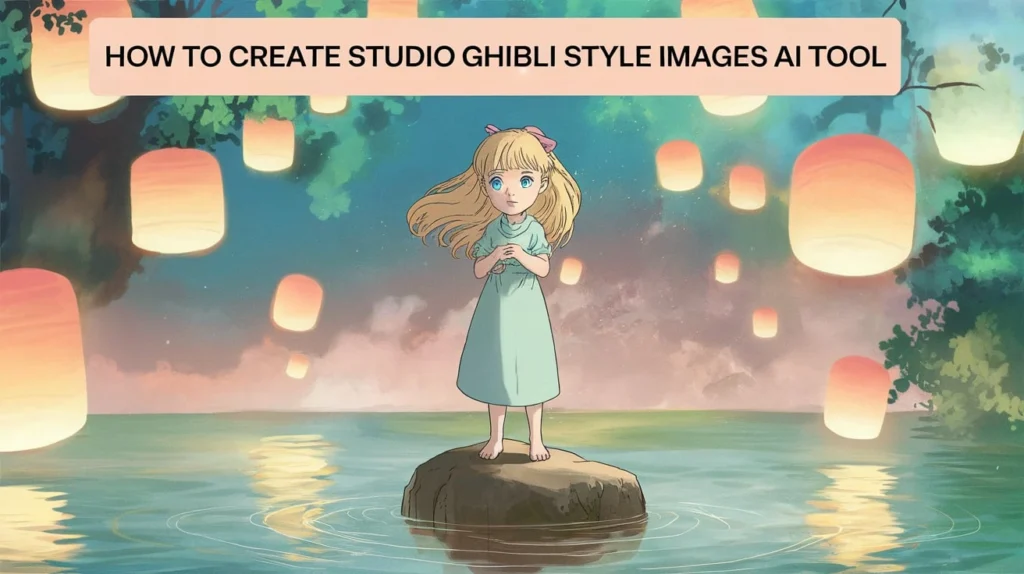
Learning how to create Studio Ghibli style images AI tool workflows gives you a practical way to produce warm, hand-drawn scenes inspired by the famous art approach used in films from Studio Ghibli. You can follow a repeatable method to build consistent visuals for storytelling, design, education, and personal projects. This guide walks you through every step with clear examples, structured workflows, and expert insights.
Why Studio Ghibli Inspired AI Art Works Well Today
Growing interest in stylized AI art
Search volume for Ghibli-inspired prompts has increased, according to Google Trends. Many people look for a reliable method to build scenes with strong color design, simple shapes, and grounded details. This style supports everything from social content to full narrative projects, so your ability to use AI tools for it gives you a helpful advantage.
Real projects showing demand
Creators build short videos, character sheets, posters, and digital storybooks with this style. A teaching group in California uses a Ghibli-inspired template to support environmental lessons in elementary classes. A marketing freelancer in Germany uses a similar approach to present product stories in a friendly and accessible way. Each case shows how this style engages audiences who respond to soft lighting, rounded shapes, and calm scenes.
Strong emotional engagement
The style promotes gentle scenery, clear expressions, and balanced compositions. For many viewers, this produces comfort and recall. When you use an AI method trained to mimic those traits, your visuals gain a familiar tone that supports your message.
Key Features of the Studio Ghibli Visual Style
Line work
Lines stay thin but clear. Shapes remain simple. Faces stay expressive with large eyes, round cheeks, and light shading. Your AI prompts should include terms like thin line art, soft outlines, simple features, and clean character shapes.
Backgrounds
Ghibli backgrounds rely on nature scenes, towns, and small everyday moments. Light spreads evenly. Shadows feel soft. Colors appear saturated but not harsh. Your prompts should mention lush greenery, soft lighting, pastel colors, balanced composition, and film-inspired background design.
Movement
Characters show gentle motion. Hair and clothing flow. Water and leaves shift slightly. Prompts should mention gentle motion, soft breeze, flowing hair, and natural movement.
Color theory
Ghibli scenes use warm palettes with a controlled contrast ratio. Greens and blues frame outdoor spaces. Oranges and pinks support sunsets. To match this with AI tools, mention warm palette, soft gradients, gentle shadows, and watercolor textures.
Tools to Use Before Learning How to Create Studio Ghibli Style Images AI Tool Workflows
AI image generators commonly used
- Midjourney
- DALL·E
- Adobe Firefly
- Stable Diffusion
- Ideogram
Each supports stylized results, though the level of control and fine detail differs.
Complementary tools
- Photoshop for color tweaks
- Krita for line adjustments
- Canva for layout and text
- Runway for video sequences
What each tool handles best
Midjourney produces stylized characters with strong lighting. DALL·E handles object accuracy and clear structural details. Stable Diffusion supports deeper control through extensions.
Practical example
A design student in Singapore built a 12-panel story using Midjourney for characters and Stable Diffusion for backgrounds. The student described consistent character control as the biggest challenge. They solved it with a character sheet prompt, described later in this guide.
Step by Step: How to Create Studio Ghibli Style Images AI Tool Workflow
Step 1. Define your goal
You need to decide if you want a single image, a series, a character sheet, or a background pack. A clear goal improves prompt structure. For example, a YouTube creator building an explainer video needs a consistent character model across 20 frames. A hobbyist who only wants a fantasy landscape needs a single prompt.
Step 2. Collect reference images
Gather real Studio Ghibli frames from films such as Spirited Away, My Neighbor Totoro, or Kiki’s Delivery Service. According to animation experts interviewed by Cartoon Brew, repeated exposure to stylistic reference improves AI output accuracy. Avoid direct copies. Use reference for mood, palette, and pacing.
Here is a simple reference checklist.
ElementDescriptionColorWarm, soft, pastel, naturalLine workThin outlines, clear shapesBackgroundsNature, towns, interiors with calm detailsCharactersExpressive faces, round shapes, gentle motionLightSoft diffusion, late afternoon tones
Step 3. Build a strong prompt
A prompt for this style must include four areas: subject, style, detail, and camera. Here is a template.
Subject: young girl, nature trail, relaxed pose Style: Studio Ghibli inspired, soft light, thin line art, pastel palette Detail: expressive face, simple textures, lush greenery, balanced composition Camera: mid shot, eye level, natural light
Combine them into one prompt with short descriptive phrases. Keep each phrase clear.
Step 4. Add consistency rules
If you build a series, use a character sheet prompt. This prompt produces four to nine poses of the same character. When you run additional prompts, include the phrase same character as reference or consistent with previous sheet.
Step 5. Iterate
You will need several runs before a final image emerges. Reduce adjectives. Add structural detail. Change lighting when scenes appear washed out.
Step 6. Upscale and refine
Use an upscaler such as Topaz Gigapixel or a built-in AI upscaler. Refine shadows or highlights with Photoshop or Krita. Keep adjustments small.
How to Write Effective Prompts for Studio Ghibli Inspired Art
Structure of a prompt
Your prompt should follow a clear order. Most tools respond well to subject first, then style, then environment, then camera. You lose clarity when mixing those sections.
Use neutral descriptive keywords
Focus on direct descriptive terms. Avoid overly artistic words. List details with commas. This structure supports reproducible results.
Example prompt
A young boy with a small red backpack walks through a quiet forest. Studio Ghibli inspired illustration, soft pastel colors, thin outlines, gentle shadows, watercolor texture. Lush trees, soft morning light, clean composition, mid shot, natural camera angle.
Run this in your preferred AI tool. Adjust one line at a time.
Why this format works
The prompt states the subject clearly. Style phrases match the core features of the Ghibli method. The environment supports the mood. Camera direction strengthens the visual structure.
Real example
A children’s author in Canada used a similar format to build 30 images for a storybook on urban gardens. The author adjusted lighting phrases for each page, which helped maintain a calm, unified visual tone.
How to Create Character Sheets Using an AI Tool
Purpose of character sheets
Character sheets support consistent character appearance across multiple scenes. Animation studios use them for reference. You can use the same method to keep proportions stable.
Building a character sheet prompt
Subject: child, black hair, green jacket Style: Studio Ghibli inspired line art, pastel colors Layout: four to six poses, front, side, back Expressions: neutral, happy, surprised Camera: clean white background, even light
Example output workflow
You generate the sheet. You pick the best pose, prompt again with the phrase consistent with character sheet and describe the pose, repeat for each frame.
Case study
A freelance illustrator in Dublin built character sheets for a mobile game pitch. The AI-generated sheets saved them twenty hours of sketch work. They then redrew the final character by hand for full ownership and legal clarity.
How to Create Backgrounds for Studio Ghibli Style Scenes
Background concepts
Backgrounds in this style center around simple natural elements. They use foliage, small structures, and clean skies to form a peaceful frame.
Prompt structure for backgrounds
Subject: forest path, mountain town, kitchen interior Style: watercolor texture, soft light, pastel palette Detail: clean perspective, thin outlines, warm shadows Camera: wide shot, slight angle, balanced composition
Tips for realistic backgrounds
Keep shapes clean. Use gentle shadows. Add a defined foreground, midground, and background. Many Ghibli scenes use three depth layers.
Example
A teacher in Melbourne built background packs for student animation projects. The students mixed these packs with hand-drawn characters. Each pack included indoor and outdoor scenes to encourage diverse story ideas.
How to Combine Characters and Backgrounds in One Workflow
Two-step method
First create characters. Then create backgrounds. Then merge them using photo editing tools. This avoids distortions.
Direct generation method
You can also prompt for the entire scene at once. This saves time but reduces control.
Editing tips
Place the character on a separate layer in Photoshop or Krita. Adjust color and shadow to match background tone. Add slight blur to background edges to imitate camera depth.
Real example
A YouTube creator merged AI characters with custom watercolor backgrounds to build narrative shorts. They edited each scene with small shadow changes to ground characters.
Ethical and Legal Considerations
Use inspiration, not duplication
According to legal experts cited by The Verge, style imitation falls under general creative expression, but direct copying does not. Avoid copying specific film frames. Use inspiration for color and tone only.
Explain your method when publishing
Share that your work uses an AI tool with Ghibli-inspired prompts. Transparency builds trust with your audience.
Maintain original contributions
Add your own narrative, character details, and scene ideas. This supports originality.
Workflow Examples for Different Goals
Social posts
You want fast results with strong visuals. Use single prompts. Add clear subjects. Keep detail levels low.
Storybooks
You need consistent characters. Build character sheets. Adjust lighting across pages.
Animation tests
You want stable poses. Build three to five static frames. Use consistent camera phrases.
Teaching materials
You want friendly visuals that support lessons. Use pastel palettes and simple compositions.
Internal linking suggestions
If you teach prompt writing, link to a guide on prompt structure, you run a design blog, link to an article on AI color theory. If you host tutorials, link to a guide on background building.
Troubleshooting Common Issues
Problem: inconsistent faces
Use character sheet prompts. Repeat key phrases each time. Reduce extra adjectives.
Problem: washed out colors
Increase pastel color emphasis. Add warm palette. Adjust soft light to afternoon light.
Problem: cluttered scenes
Reduce environmental detail phrases. Remove unnecessary objects. Add a clear subject.
Problem: distorted hands
Add the phrase clean hands. If distortion stays, crop and redraw with a tablet or mouse.
Problem: blurry lines
Use an upscaler. Add sharp line art. Adjust tool settings for clarity.
Advanced Tips for Better Ghibli Style AI Images
Control color temperature
Use warm or cool descriptors with clarity. Warm lighting fits afternoon scenes. Cool lighting supports morning scenes.
Adjust composition
Follow the rule of thirds. Place your subject slightly off center. Keep backgrounds simple.
Improve line consistency
Add consistent line weight. Use thin outlines. Avoid high contrast.
Balance background and character
Keep the background soft. Keep the character clear. This directs the viewer’s eye.
Build a visual bible
Create a folder with color palettes, clothing references, and sample prompts. This speeds your workflow.
Case Studies from Real Creators
Case study 1. Independent filmmaker
An independent filmmaker in London built a test sequence for a short animated project. They used Midjourney for characters and Runway for storyboards. The filmmaker refined color balance in Photoshop. The sequence helped pitch the project to a grant panel.
Case study 2. Digital marketer
A digital marketer in Japan produced seasonal visuals for a local bakery. They used Ghibli-inspired AI images to present warm holiday stories. Sales improved during a campaign after customers reacted positively to the visuals.
Case study 3. Language teacher
A language teacher in Brazil used Ghibli-style AI images to build worksheets for reading exercises. Students responded well to the soft illustrations. The teacher reported stronger engagement among younger groups.
Case study 4. Wellness coach
A wellness coach in Canada used background images in a meditation app. The gentle scenes improved user focus, based on user feedback surveys.
Case study 5. Nonprofit organization
A nonprofit in Kenya used Ghibli-inspired illustrations for environmental education posters. The posters helped explain sustainable practices to young audiences.
Templates You Can Copy for Fast Results
Character prompt template
Young girl with shoulder length hair, blue jacket. Studio Ghibli inspired, thin line art, pastel palette. Soft light, expressive face, warm shadows. Mid shot, natural camera angle.
Background prompt template
Mountain town street at sunrise. Watercolor texture, pastel tones, soft light. Clean buildings, warm shadows, simple perspective. Wide shot with balanced layers.
Story sequence template
Same character as reference, walking through forest path. Studio Ghibli inspired. Pastel palette, soft afternoon light, thin outlines. Mid shot with natural movement.
Full Workflow Summary Table
StepTaskDescription1GoalDefine target output2ReferencesCollect style examples3PromptWrite clear prompt phrasing4Character sheetBuild consistent appearance5BackgroundCreate environment6MergeCombine characters and scenes7RefinePolish color and lines8PublishShare with transparency
Strong Action Steps You Can Apply Immediately
Build your reference folder
Collect ten scenes showing color choices and line styles.
Write three prompt iterations
Test different lighting descriptions. Compare results.
Build one character sheet
Use the templates above. Adjust poses.
Create three backgrounds
Use wide shots and soft light settings.
Merge into one final scene
Combine your character with a background and refine.
Closing summary
Learning how to create Studio Ghibli style images AI tool workflows helps you build soft, expressive visuals with consistent structure. When you use reference scenes, simple prompt phrasing, and clear creative goals, you produce stable and appealing art. You can refine each scene with editing tools to support professional projects. With steady practice, your ability to produce Ghibli-inspired visuals becomes reliable and efficient.
FAQs
What is the best method for how to create Studio Ghibli style images AI tool results?
The best method starts with collecting references, then building a clear prompt with subject, style, detail, and camera. You should test several variations. Consistent phrasing improves reliability.
How do I improve consistency when using an AI tool for Ghibli-style scenes?
Use a character sheet prompt. Repeat key phrases. Maintain the same lighting and camera direction across prompts.
Which AI tool works best for Studio Ghibli inspired art?
Midjourney and Stable Diffusion produce strong stylized results. DALL·E provides structural accuracy. Many creators use more than one tool.
How do I refine Ghibli-style AI images?
Use an editor like Photoshop or Krita to adjust shadows, color temperature, and line clarity. Make small changes to keep the original tone intact.
Can I use these images for commercial projects?
You must check the license for your chosen AI tool. According to tool providers, commercial use depends on the platform. You should also avoid copying any film frames directly.



