
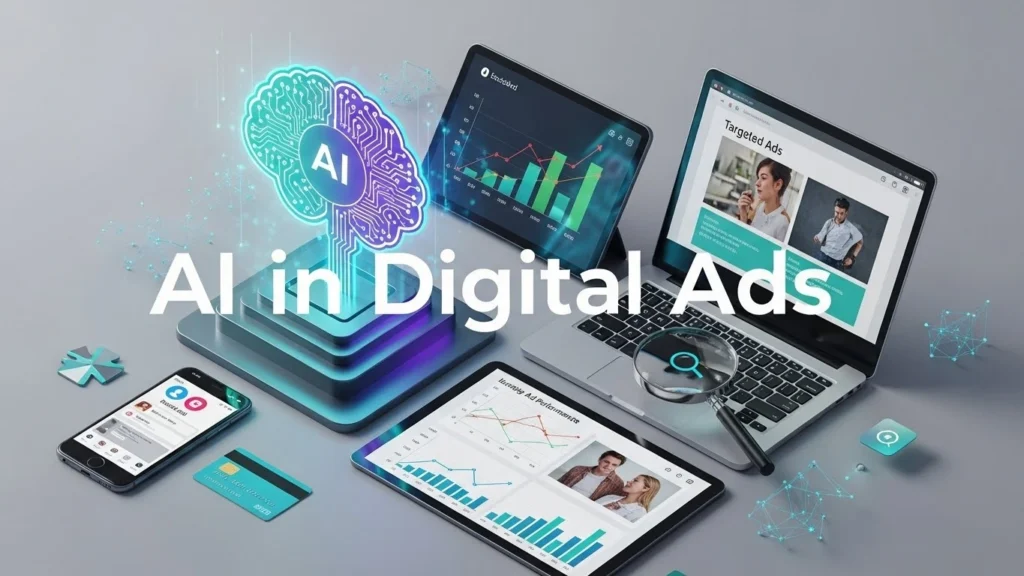
AI in digital ads shapes how your business reaches customers online today. It changes how ads are targeted, created, optimized, measured, and scaled. You need to grasp how this technology improves ad performance and lowers costs. You also need to know where it fits into your strategy.
This article explains how AI works, its use cases, best practices, tools, risks, ethics, and future trends. You will find real examples, data, and clear guidance you can act on now. We include internal linking suggestions and tables that help you plan campaigns. We also include a full FAQ section that answers common questions clearly.
What AI in Digital Ads Means for Your Marketing
AI in digital ads means using machines to do tasks that humans used to do manually. It includes automation, prediction, personalization, and analytics.
How Machine Learning Powers Ad Decisions
Machine learning uses data to improve decisions over time. In digital ads, it predicts which audiences will perform best.
For example, a machine learning model can find patterns in clicks and conversions. It then uses those patterns to show your ads to users more likely to take action. This reduces your cost per acquisition.
Why Automation Matters
Automation takes repetitive tasks off your plate. You can automate bid changes, budget shifts, audience testing, and reporting. This frees your team to focus on strategy and creative work.
For example, Google Ads uses automated bidding to hit your desired cost per conversion. Facebook Ads lets you automate audience splits and budget allocation across ads.
Key Use Cases of AI in Digital Ads
AI impacts every stage of a campaign. Each of the use cases below includes real scenarios and takeaways.
Audience Targeting and Segmentation
AI builds audiences based on behavior, interests, and intent signals.
Dynamic Audience Discovery
AI finds hidden audience groups that perform well. It does this by testing thousands of combinations automatically.
Example: A retailer sells sports gear. AI segmentation finds a segment of consumers who bought running shoes and then looked at fitness trackers. This group was not in the original audience list. The retailer then targeted this segment with bundle ads.
Lookalike and Predictive Audiences
Platforms create audiences that resemble your best customers. This increases efficiency over broad targeting.
Takeaway: Use predictive audiences to reduce waste. Test them against manual lists and track cost per result.
Creative Optimization
AI helps create and optimize ad creatives.
Automated Creative Variations
Platforms can generate multiple versions of headlines, images, and calls to action. They test combinations to see which performs best.
Example: A travel brand ran 50 headline-image variations. AI identified a top-performing combo within 48 hours, improving click-through rate by 22%.
Real-Time Creative Adjustments
Some tools adjust creative elements based on user engagement data. For example, if users respond better to shorter headlines, the system switches to those.
Takeaway: Feed your AI system with a variety of assets. More options allow better testing and faster wins.
Bid and Budget Optimization
AI sets bids and budgets automatically to meet campaign goals.
Smart Bidding Strategies
Platforms offer options such as:
- Target CPA
- Target ROAS
- Max clicks
- Max conversions
AI evaluates user signals like device, location, and time of day before bidding.
Example: An e-commerce business used target ROAS. The system lowered bids on low-value audiences and increased them on high-value ones. This improved return on ad spend by 18%.
Predictive Analytics and Forecasting
AI forecasts outcomes and demand trends.
Predictive Spend Forecasts
AI predicts how much you should spend to hit goals. This prevents underfunding or overspending.
Table: Typical Forecast Metrics
MetricDescriptionSpend ForecastExpected spend required to meet goalsConversion ForecastPredicted number of conversionsBudget GapDifference between current budget and required spendTime to GoalDays needed to reach performance target
Use these forecasts to plan quarterly budgets.
Automated Reporting and Insights
AI generates insights and alerts. This reduces manual analysis time.
Alerting for Anomalies
AI watches your campaigns and flags unusual trends. For example, it alerts when performance drops sharply after a bid change.
Takeaway: Use automated alerts to react fast. Set thresholds that matter for your goals.
How AI Improves ROI and Reduces Waste
AI makes your ad spend more efficient.
Reducing Manual Guesswork
You save time and lower human error. AI continuously adjusts rather than waiting for weekly reviews.
Scenario: A company tests multiple headlines manually over two weeks. AI does the same in one day and reallocates budget away from underperforming ads sooner.
Personalizing at Scale
AI personalizes ads for millions of users in real time. Personalization often improves engagement and conversions.
Example: An online clothing store used AI to tailor product recommendations in ads. Personalization lifted sales by 30% compared to generic campaigns.
Continuous Learning
AI learns from new data. This improves future predictions. You get compounding performance gains over time.
Tools and Platforms That Use AI for Digital Ads
Here are key platforms and what they do with AI.
Google Ads
Uses Smart Bidding, responsive search ads, and automated insights.
- Bidding based on signals across search queries
- Automated creation of responsive ads
Suggest internal link: Learn more in our guide on Google Ads automation.
Meta Ads Manager
Offers:
- Dynamic Creatives
- Advantage+ campaigns
- Automated placements
Meta’s AI tests multiple combinations of images, text, and audiences.
Programmatic Platforms
Platforms such as The Trade Desk and MediaMath use AI to buy media in real time. They optimize spend across channels.
Third-Party Tools
Tools like Adzooma, WordStream, and Revealbot provide AI-driven recommendations and automation.
Takeaway: Evaluate tools based on integration, cost, and ease of use.
Ethical Use of AI in Digital Ads
Using AI in digital ads introduces responsibilities.
Respecting Privacy and Consent
You must comply with regulations such as:
- GDPR
- CCPA
Collect and use data only with clear consent. Keep records of permissions.
Avoiding Bias in Targeting
AI can pick up and reinforce biases. For example, it might show jobs ads primarily to one gender.
Actionable Step: Regularly audit your targeting outputs. Ensure fairness and compliance.
Transparency with Users
Be clear about how you use data. Trust builds loyalty.
Risks and Limitations of AI in Digital Ads
While AI helps performance, it has limits.
Overreliance on Automation
Too much automation can reduce human oversight. This leads to decisions without context.
Example: A campaign might spend budget on an audience that performs poorly because the AI misread early signals.
Mitigation: Monitor outcomes and adjust rules.
Data Quality Issues
AI needs good data. Poor data leads to poor decisions.
Checklist for Data Quality:
- Complete customer data
- Recent conversions
- Clean tracking links
- Verified event setups
Black Box Decisions
Some AI choices lack clear explanations. This makes debugging hard.
Workaround: Use hybrid approaches where you combine human review with AI adjustments.
How to Implement AI in Your Digital Ads
Follow a phased adoption plan.
Step 1. Audit Current Campaigns
Document:
- Performance metrics
- Audience definitions
- Creative sets
- Tracking fidelity
This baseline tells you where AI can help most.
Step 2. Set Clear Goals
Define what success looks like. For example:
- Lower cost per acquisition
- Higher return on ad spend
- More qualified leads
Use specific numeric targets.
Step 3. Choose the Right Tools
Match tools to goals.
- For creative optimization: Use responsive ads builders.
- For bidding: Use smart bidding strategies.
- For analytics: Use AI reporting tools.
Step 4. Integrate Tracking and Signals
Ensure tracking works end to end. Include:
- Conversion tracking
- Event tagging
- CRM integration
Step 5. Run Controlled Tests
Start with small budgets. Compare:
- AI-enabled campaigns
- Manual campaigns
Analyze results before wider rollout.
Step 6. Review and Adapt
Weekly reviews help you adjust:
- Budgets
- Audiences
- Creative
Have a reporting rhythm.
Case Studies
Here are real-world examples that show how AI improves campaigns.
Case Study 1. E-Commerce Brand
A mid-size online retailer used AI bidding and audience expansion.
- AI reduced cost per conversion by 20%
- Sales increased by 15% in 60 days
The team used automated creative testing and targeted lookalike audiences. The AI adaptation reduced seasonal volatility in performance.
Case Study 2. Service Business
A home services company used AI to optimize local search ads.
They implemented automated bid strategies and real-time scheduling integration.
Results:
- Phone leads increased 24%
- Cost per lead dropped 12%
AI chose bid amounts based on lead likelihood patterns from historical data.
Case Study 3. Mobile App Launch
A gaming app used AI to find best user segments.
The AI platform identified user actions that predicted long-term engagement.
Outcomes:
- Lowered cost per install
- Increased 7-day retention
This improved lifetime value projections.
Monitoring and Reporting AI Performance
You need a reporting framework that tracks AI impact.
Key Metrics to Track
- Impressions
- Click-through rates
- Conversion rates
- Cost per acquisition
- Return on ad spend
Attribution Models
Select models that match your sales cycle. Consider:
- First touch
- Last touch
- Data-driven
Data-driven models use AI to assign value across touchpoints.
Reporting Cadence
Use weekly and monthly reports. Weekly for quick fixes. Monthly for strategy shifts.
Practical Tips You Can Use Now
Tip 1. Clean Your Data First
Poor data means poor AI decisions. Fix your tracking before switching on AI features.
Tip 2. Use Automated Alerts
Configure alerts for sudden drops or spikes in performance.
Tip 3. Review Audience Overlap
Too much overlap can dilute AI learning. Reduce overlap to improve insights.
Tip 4. Adjust Frequency Caps
Too many impressions fatigue users. AI can help set sensible frequency limits.
Tip 5. Test Multiple Goals
AI works differently when optimizing for clicks versus conversions. Try both.
Common Mistakes to Avoid
Here are pitfalls marketers make with AI in digital ads.
Mistake 1. Ignoring Human Oversight
Some think AI can run itself. It needs human review.
Mistake 2. Changing Settings Too Often
AI needs time to learn. Frequent changes confuse systems.
Mistake 3. Using AI Without Clear Goals
Without goals, you cannot measure success.
Mistake 4. Forgetting Attribution
AI may optimize the wrong metric if attribution is misaligned.
Future Trends in AI and Digital Advertising
Expect changes that will affect your strategy.
Trend 1. More Real-Time Personalization
Ads will change instantly based on user intent signals.
Trend 2. Multi-Modal Creative Generation
AI will mix text, images, and video for richer ads.
Trend 3. Voice and Visual Search Signals
AI will optimize ads for voice queries and image-based searches.
Trend 4. Privacy-First Optimization
With less third-party data, AI will rely on first-party signals.
Internal Linking Suggestions for WordPress
To improve SEO strength, link to:
- Our guide on Google Ads automation
- Our article on advanced audience segmentation
- Our case study on creative optimization strategies
- Our resource on tracking and analytics setup



